Another option is opening the max file and saving out the materials in the editor to a .mat
I just used this methodology on my bathroom scene, and I must say, it works. I particularity like it because it’s predictable. Now, it took over an hour to balance things out, and it’s saving me about that much time with the render, but I’ll save with re-renders. I look forward to learning more.
you can open max files in the material editor. there’s a ‘file type’ drop down box, and you can browse through materials within a max file. .mat is completley pointless.
I work with a guy who’s been using max since pre-autodesk days and had no idea about that until recently, i dont think many people do.
I followed the first tutorial today - it makes sense but I’m interested to hear the thought process as to how you arrived at the final render settings in the shader ball scene. I would have thought, based on the first tutorial, that you would have tried to keep the noise threshold fairly high still as there wasn’t too much detail in geo or textures? My thoughts were that using such high subdivs didn’t leave much room for manoeuvre with the subdivs in your scene?
I’m speculating here. 
I was waiting for somebody to notice.
Basically the shader ball scene released so far has some pretty gnarly procedurals in it that need a lot of AA to clear up.
I will go over optimising the shader ball scene in lesson 3 for different lighting types.
Can you please develop a bit more, I’m not sure to understand what you mean. .mat can be replace by “file type” drop down?
Thanks
When importing Material library, choose a .max file instead of .mat, didn’t know about that one too )) cheers.
Fraggle: When you choose Open Material Library there is a drop-down menu at the bottom of the file dialog. It defaults to .mat but you can change it to .max.
As a side note, Since switching to 2014 "State Set"s terrify me. Anyone got a resource on how to use them? I just put “Manage Scene States” back on my quad and pretend State sets don’t exist.
Ended up doing this, thanks for the advice!
I thought State Sets where there to manage render layers and to get the connection between Max and a compositor like AE. Is it at all comparable with Scene States?
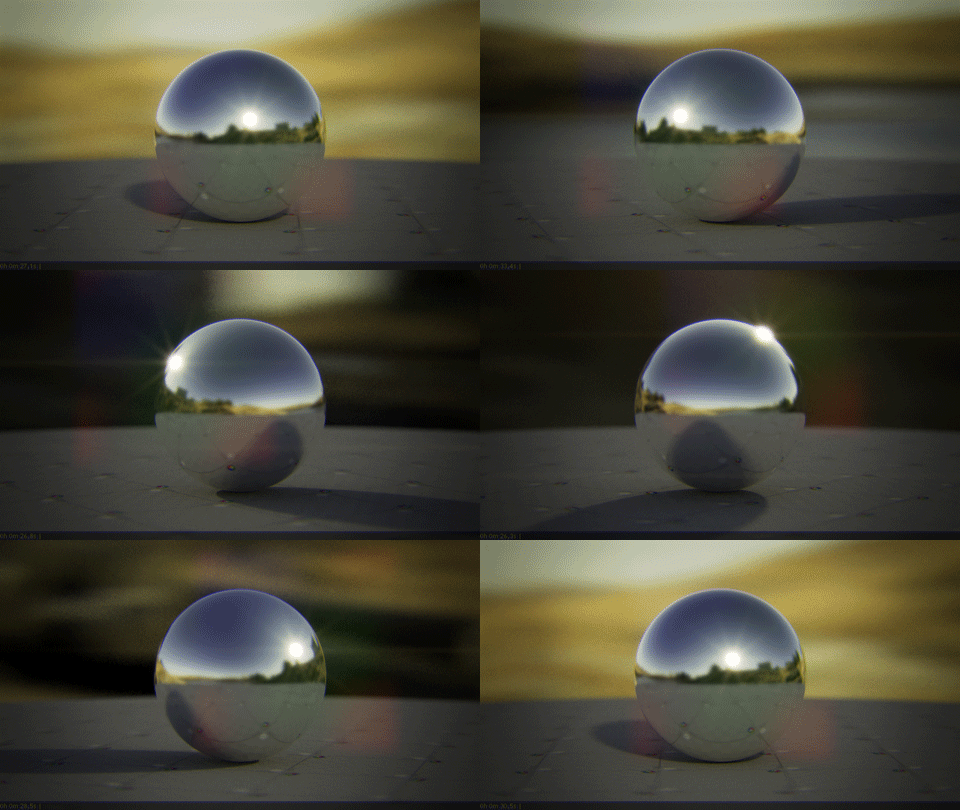
Tried to utilize what I’ve learned from the first vid in a lighting test scene today. This turntable included DoF and MB, blurry reflections, VrayLensEffects and a single 50mpix HDRI (to get the really intense sunlight): ~5 MB Gif (downscaled)
Each frame where between 24-30 seconds render, after I found a good balance in sampling rate. Still noisy (dof), but that was intended. Although VrayLensEffects are pretty good, I couldn’t help but add additional highlights in post. 
Be very wary that merging a material from a .max file can actually inadvertently merge lights too! I often end up with two suns in a scene… keep an eye out. not sure if this has been fixed in 2014.
Update-
Had a great birthday weekend, now I’m ready to get onto finishing up Lesson 2!
Just recieved the newest update mail and quickly wanted to say thanks to Peter Guthrie for providing a HDR.
Can we expect some birthday Material? 

I was wondering why I kept having a problem with geometry reappearing in my scene despite repeatedly deleting it!
*sigh* another day where grant makes us look at his balls again 
(that joke had to be made and you all know it)
Looking forward to the lesson
I saw it coming 6 months ago haha
Any news on when we can expect video 2 and some metal materials?
It’s been the last week of work before I have 2 weeks holidays (Which will be spent almost entirely on MV) and I’ve gone full out on this second video. It’s needed a lot of extra stuff that the first video didn’t. There is a lot more to “teach” and I’m still getting into the correct teacher mindset I guess you could say. Basically I’ve been figuring out how to present the video in a way that appeals to novices and experienced users.
So I’ve recorded a whole bunch of different stuff and am currently editing it.
End of play tomorrow, I’m officially on break and can put some serious hours into Mastering Vray, it’s going to be an all nighter.
As for materials, I lost the corten steel in a Bsod, but I have the other metals posted here so I should probably package them up and release them first thing tomorrow night.
Attached is an example of a couple of the slides required so you can see a more clear explanation of what has been required!