Hello Chaos
I work with SketchUp 2023 and V-Ray 6.2004
and i’m getting blurry Materials when I render With CPU
vs Render With Chaos Cloud.
I use default Setting (Brute Force + Light Cache)
when Progressive Render is OFF.
it’s not the same project, but it the same materials and cosmos components .
when rendering with cloud - all texures looks sharp and clear

 CHOAS-CLOUD.jpg
but when i render with CPU it’s all become blurry
Is there a problem with CPU render?
i never had it before.
Thanks.
Omri

CPU RENDER.jpg
Hello @omri_ron ,
Hello, thank you for your post,
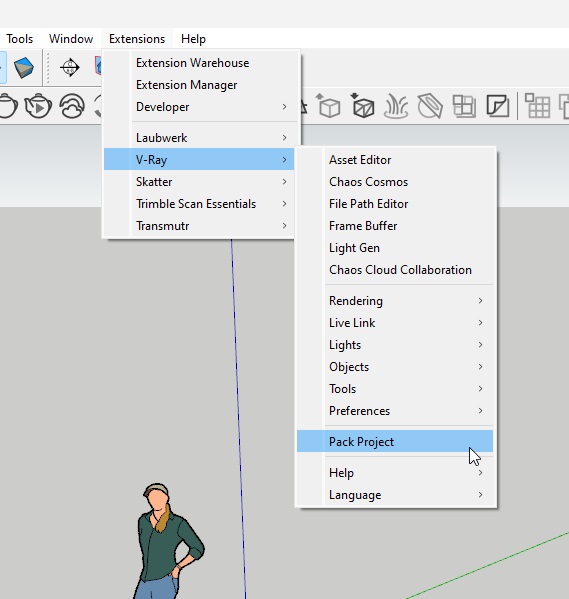
If it’s okay, we would like to have a look at your scene in our environment. To do this, please open a new ticket in our system using this form, where you can attach your packed scene. Make sure to use our Pack Project Tool, as shown in this example.
In the opened ticket, also share:
- Have any specific settings been changed in your file?
- Your hardware specifications. You can find this information in Task Manager > Performance. Please send us screenshots.
- We need your Chaos Cloud Job ID so we can review it.
Thank you so much for your attention and participation.
Hi @omri_ron ,
It seems to me that the texture placement is the cause for the blurry appearance.
The CPU render is of a different building - one on which the texture might be positioned differently.
Even in the COUD render you can see some texture size discrepancies:
Konstantin
Thank you @konstantin_chaos
it didn’t happen in previous versions…
i can solve the concrete placement
but the blurrines happens inside the cosmos componenet as well…
and i can’t edit that…
what is the solution?
just cloud render?
The thing is that when we release a V-Ray version, the same exact V-Ray is uploaded to the Chaos Cloud.
And when you submit a job, the same exact V-Ray, which is used locally will be used for Cloud rendering.
As a result the images should be identical.
But of course mistakes happen, and if there is something wrong with our system we need to know.
If there is a difference between the Cloud render and the same Local CPU render, we should investigate it.
Can you please share a simple example project where we can test issue?
You can also point us to a Cosmos asset that you are seeing this behaviour with.
Thank you in advance.
Thank you @konstantin_chaos and @rossen.rangelov
i have sent akk the files and links via requests/283157
Thank you for submitting your project, @omri_ron . We will review and write you in the ticket.
Hello,
I want to share that the unusual results were caused by high FOV values (higher than 120). Decreasing them is resolving the issue.