Hello, I am having a problem with the dark appearance of grass in Enscape. I am using Sketchup. Both programs are latest versions available as of August 11, 2021.
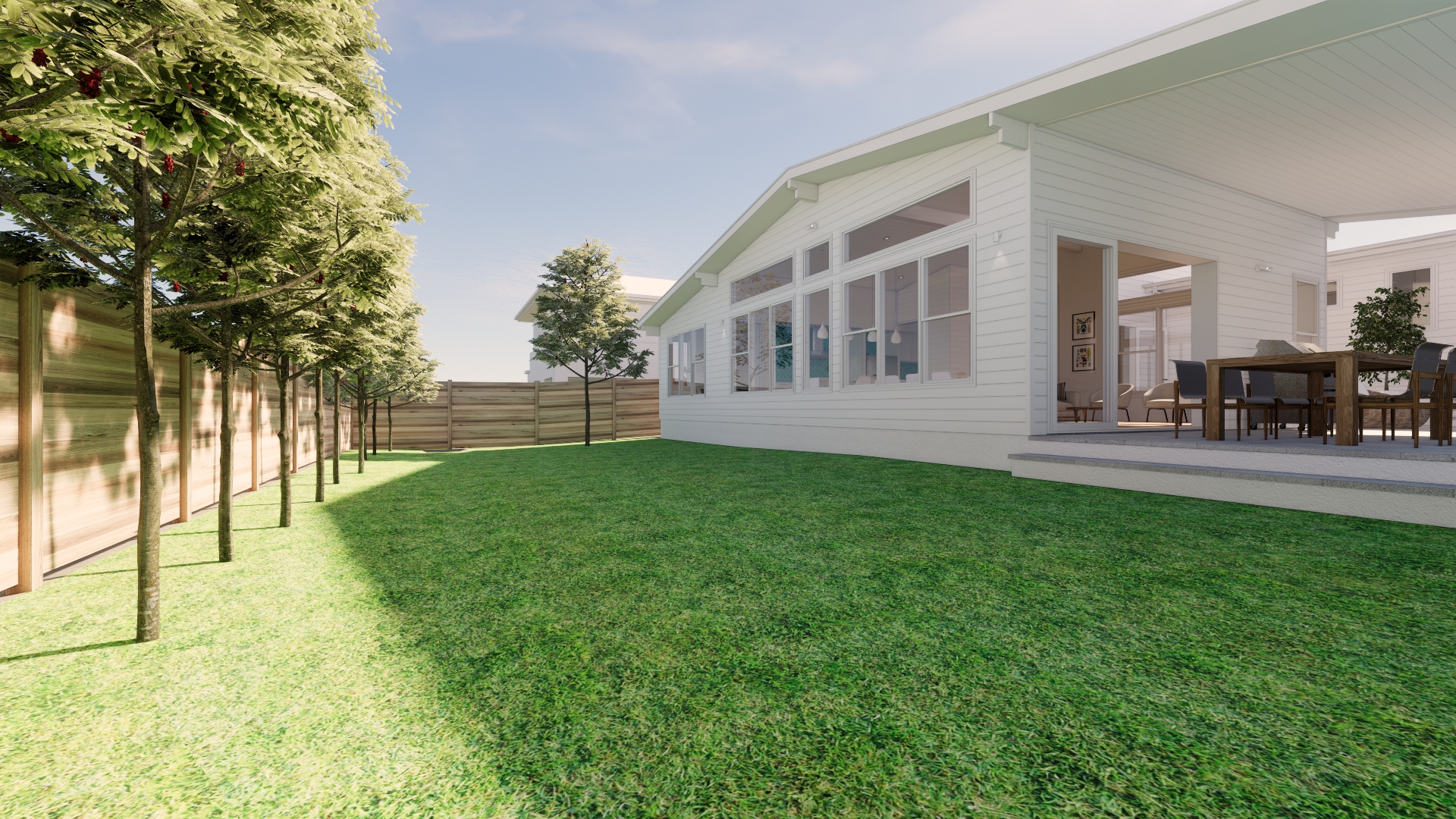
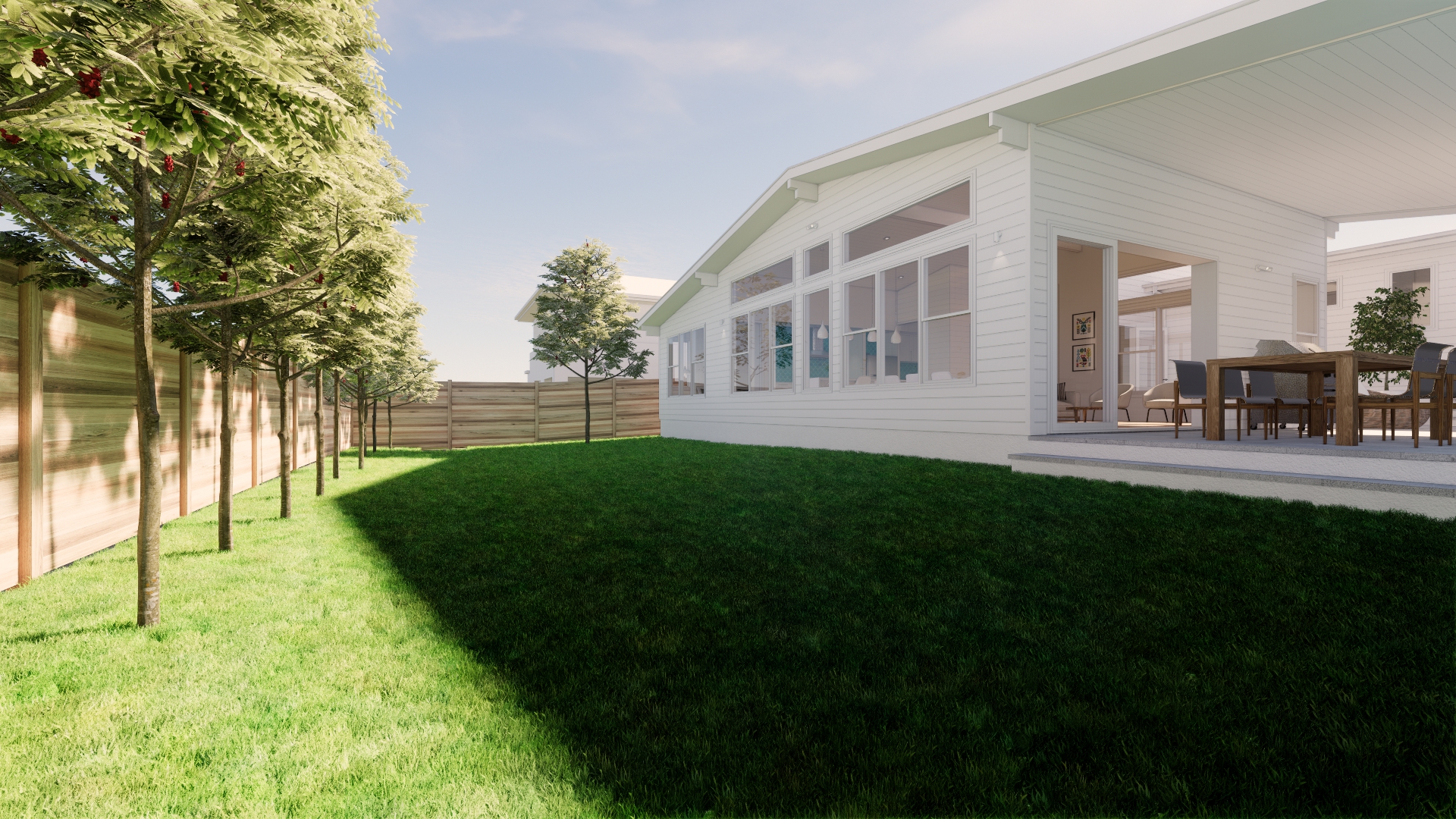
The issue is that if the material is set to default, the shadow brightness looks normal and is quite acceptable, however it’s obviously not rendering as grass in Enscape. Once the material is set to ‘grass’ type in the material editor, the shadow brightness of the grass becomes dramatically darker to the point it looks very unrealistic.
Render export with grass texture set to ‘default’:
https://www.turnervisual.com.au/images/No_Grass_Setting_On_Grass_Texture.jpg
Render export with grass texture set to ‘grass’:
https://www.turnervisual.com.au/images/With_Grass_Setting_On_Grass_Texture.jpg
I have tried as many settings as I can to see what is going wrong here but have not been able to identify a solution.
Thank you.