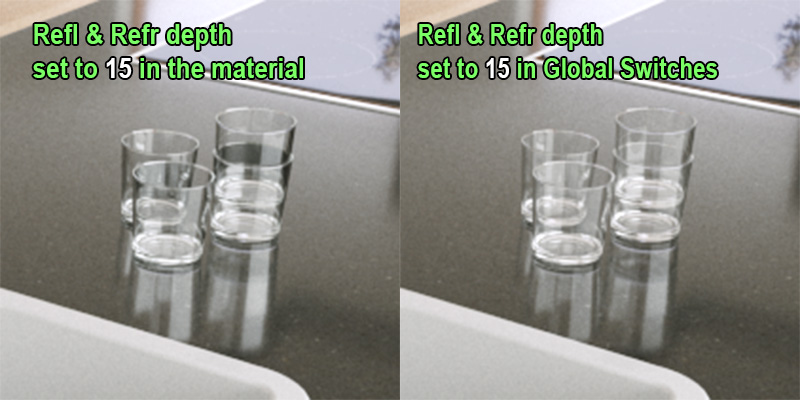
If I set the reflection & refraction depth to lets set 15 in material, the results don’t look the same compared to setting them to 15 in Global Switches. Is this by design? I thought that in both cases the rendered result should be the same as the value in both cases is 15. Or am I missing something? The glass looks dark even if I set the refraction depth to 100 in the material.
Thanks, that was it! I’m a bit confused though why I had to raise the reflection depth of the counter top for the glasses to refract better. Maybe for the future I should use the global depth option to save time on hunting which materials potentially might cause issues with refraction.
Imagine a glass has 4 sides so to see an object behind the glass its going to need 5 refraction rays (probably why the default is 5). However by the 5th ray trace its getting back only 1 reflection/refraction bounce of the object its seeing through the glass. This is why its darker. Effectively by setting all shaders or globals to 15/15, once the refraction rays have passed the glass there is enough to still trace that object and its own reflection and refraction and return back that information.
People often think that if an object behind glass has 5 reflection/refraction rays, then it should look bright behind a refractive object (glass) but in fact its only getting 1 reflection ray which is why things generally render faster.
 Maybe for the future I should use the global depth option to save time on hunting which materials potentially might cause issues with refraction.