Hello team,
i have found a bug i think so .
until vray 5.0 edges material can be set in bump map to simulate round corner
it seem to be not the case anymore in the last version and may be since few updates …
sry for my english
someone can investigate this ?
thx in advance
Dear @laurent_de , hello.
Perhaps you mean simulating round corners via Edges texture.
Here it is well explained in our documentation page (using Bump material).
To shortly describe the steps (to use it in Generic materials too), please be sure to follow:
- Add Bump (from Attributes), see here
- Choose Bump Texture Channel in the added menu section
- Load the Edges texture
- Render
Please confirm that it is working well on your side.
Waiting for your answer.
Best regards,
TS
DCHA34
3
I have the same problem. Impossible to get round edges.
Please try the described above, @DCHA34 .
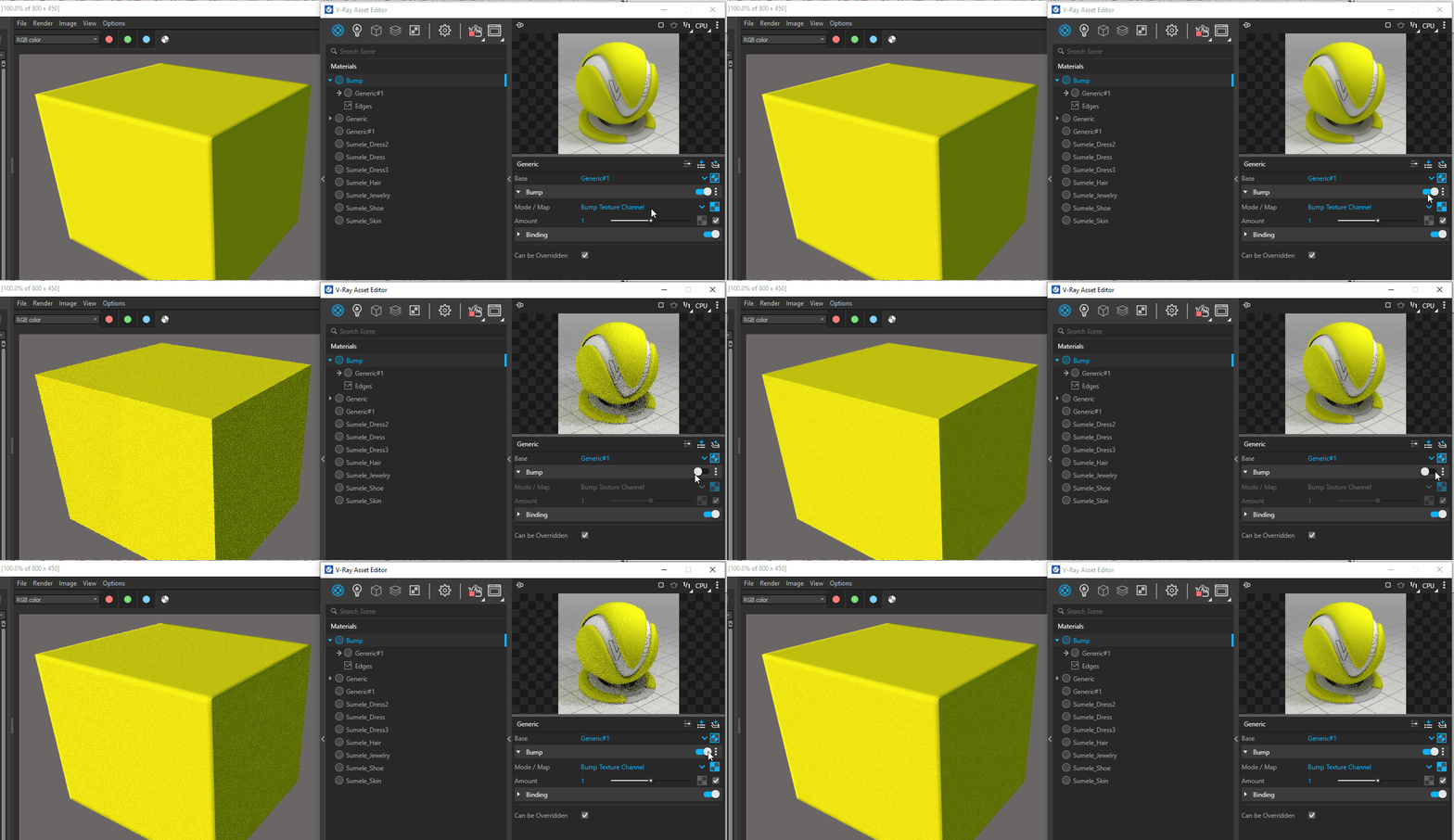
The tricky part is that the Edges texture should be added when Bump Mode is set to Bump Texture Channel.
You could see the difference here.
DCHA34
5
I had read too fast.
Thanks for the video explanation.
Great, thank you for approving.
Enjoy the last day of 2021 !