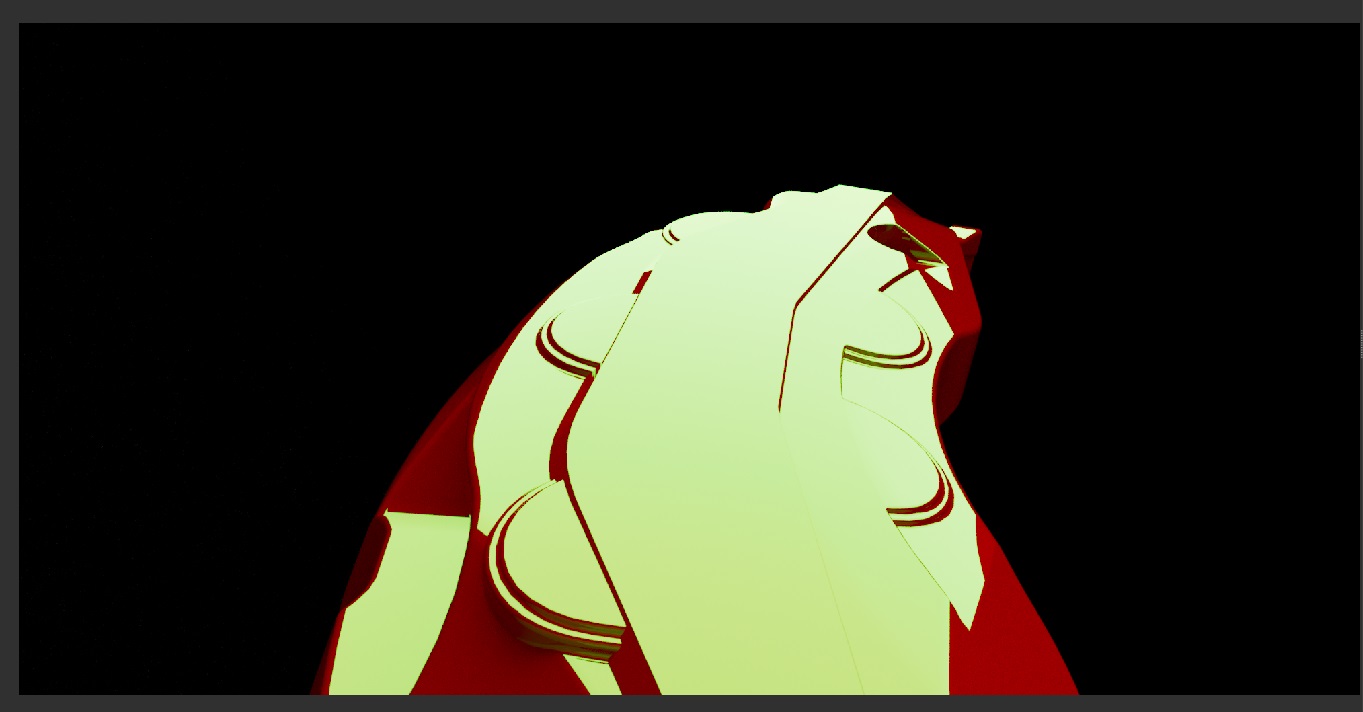
Im finding that some basic shaders appear to be reflecting incorrectly. I may be wrong, but this doesnt seem to me like a correct reflection behavior. Its a simple black gloss shader on a car rim, and a red gloss shader on a brake calliper. No matter what I do, if I have reflectivity turned on for the red calliper, it reflects into the black gloss shader like its blurry chrome or something. It reflects the red diffuse if I turn off reflections.
I have checked from different angles, and it does seem to look better, but then some angles look very wrong, to my eye. I would expect to see a red reflection in the attached image.
Maya 2023.3
V-Ray 6 for Maya, update 1
(v6.10.00, revision 32127 from Jun 10 2023)
Could you please attach a simple scene with both shaders where the situation reproduces so we can take a look?
You can upload it here or by Submitting a Request to our System.
I’ve experienced the same behavior in similar circumstances on both Vray and Corona in the last year and I don’t remember something like that happened before (in over 20 years of CG).
Unfortunately I didn’t have the time to investigate further, but It looks odd to me too, like reflection have too much energy.
Maybe its just me but until I’ll see the same behavior happening in real world I’ll still think it’s a bit weird.
Chaos group ran some tests and it seems its an expected result. The light above the geo is reflecting at an angle that the rim can see. Its probably a unique situation where something looks like it should be reflecting whats next to it, but because of the angle, its reflecting the thing above it. Kind of an annoying optical illusion in a way I suppose, and definitely something a client would ask about, so its more an issue to look out for when lighting reflective objects. NOT an issue with Vray shaders or lights.
I have documented several situations where this happens also on straight surfaces, I’ll post some example later. I’m still not sure and just in case I’ll test similar situations in the real world.
As discussed in our direct communication, what you see is normal and it can be explained - the Black Surface is reflecting the Red one as it’s being seen from its angle. In that case, if we put the camera in angle as the Red Surface is being reflected we can see the white light on it. Please, refer to the video attached: http://ftp.chaosgroup.com/support/sc…7_16-14-03.mp4
In additional test that can be made is changing the Light to green. Once this is done you can see the reflection changes as well which confirms the stated above: http://ftp.chaosgroup.com/support/sc…7_16-18-32.jpg